
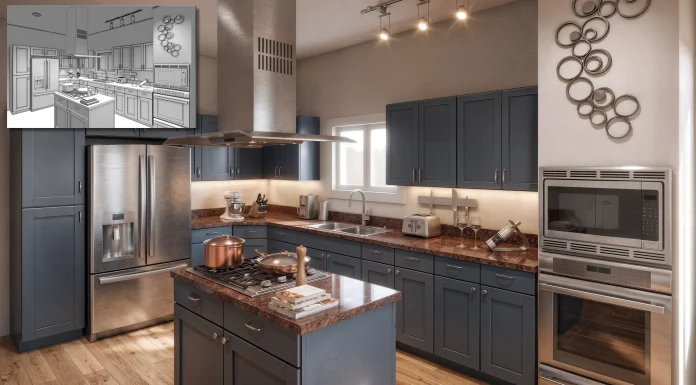
Vectorworks 2027 was designed to give you more of what you need, where you need it. That includes top-tier visualisation and ideation with the updated AI Visualizer
The latest version of Vectorworks’ AI Visualizer offers two new models, including Google’s Nano Banana, for high-quality, realistic AI-generated visuals.
Google’s Nano Banana Models in the AI Visualizer
With a Vectorworks 2027 subscription, you can now access Google’s Nano Banana 2 and Nano Banana Pro models in the AI Visualizer palette.
Nano Banana 2 is great for testing concepts and iterating on visuals throughout the design process, while Nano Banana Pro helps you create a more detailed image for a high-stakes presentation or deliverable.
Both models generate and edit images at 2K resolution, and you can upscale generated images to 4K when you need a larger final graphic. They also support up to 14 reference images per prompt, giving you more control over the style, materials, atmosphere, and context you want to convey.
To get started with these models:
- Open the AI Visualizer palette
- Select a Nano Banana model from the dropdown menu
- Enter your prompt and add reference images as needed
- Generate and edit the image directly in your Vectorworks model
- Refine the image with additional prompts and edits as your ideas evolve.
Each subscription license of Vectorworks includes 150 credits per calendar month. Nano Banana 2 uses two credits for each generated or edited image and four credits to upscale an image to 4K. Nano Banana Pro uses three credits for each generated or edited image and six credits for a 4K upscale.
The AI Visualizer displays your remaining credits in the built-in credits meter, so you can make informed choices as you work. Current credit usage is available in the About Models and Credits information pane in the AI Model menu. Once you’ve used your 150 monthly credits, the AI Visualizer automatically switches to the credit-free Basic model, so you can continue exploring and refining your ideas.
Basic Model in the AI Visualizer
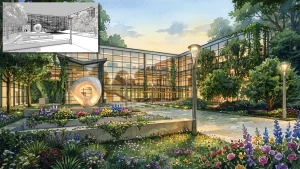
For an unlimited way to generate and refine AI visuals as part of your everyday Vectorworks workflow, use the Basic model.
Because the Basic model is credit-free, it’s a useful choice for quick studies, ongoing design exploration, and repeated iterations when you want to test prompts or compare visual directions.
To get started with Basic:
- Open the AI Visualizer palette
- Select Basic from the dropdown menu
- Enter your prompt and add up to two reference images as needed
- Generate or edit the image directly in your Vectorworks model
- Refine the image with additional prompts and edits as your ideas evolve.
Both Basic and the Nano Banana models let you use reference images to guide the graphic style of your output, from materials and color palettes to lighting and atmosphere. Basic supports up to two reference images per prompt, while the Nano Banana models support up to 14, giving you more visual references to help communicate the look you want to achieve.
Learn More About Vectorworks 2027
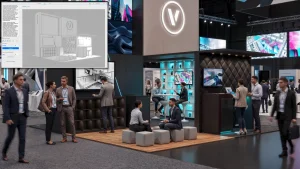
The new and improved AI Visualizer is just one of the many updates and improvements to your Vectorworks workflow. Vectorworks 2027 also features stunning new texture creation, smoother navigation, faster interactive rendering, and more.
Click here to learn more.
The post Vectorworks 2027’s AI Visualizer with Google’s Nano Banana appeared first on Planning, Building & Construction Today.